THE WORKFLOW
How to Make the Viral Rumpelstiltskin AI Dance Video
Quick answer. Upload one photo of a consenting adult, and the model recasts the dancer in the tiptoe reference clip with that person’s face, hair and visible clothing. It aims to preserve the rest of the scene, but background details and likeness can vary. Output is a silent landscape MP4, about six seconds, following the original shush, arm movements and footwork.
Open the studio — $3.99 for one video or $8.99 for three variations of the same photo. Enter your email, pay once and collect your results through a private email link. No account is needed.
A recognizable result needs more than a prompt saying “fairy-tale dance.” The reference clip is what carries the timing, body movement and scene; the photo supplies the new person’s appearance. Here is the whole workflow.
A real six-second result
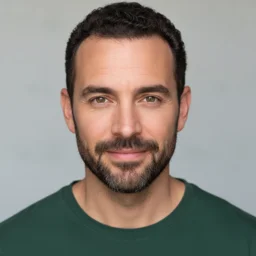
- One consenting adult, with even light.
- Keep your face, hair and shoulders visible.
- Avoid sunglasses, heavy filters and group photos.
The photo guides clothing too. Unseen details may be invented by the model.
Read the photo-to-video guide →This is our generated sample, made from the fictional portrait shown. It is not a guarantee of identical results with every photo.
1. Start with the right photo
Choose a clear JPG or PNG of one consenting adult. Keep the face, hair and clothing visible, with even lighting and no sunglasses or heavy filters. The model uses the person’s overall appearance, not only the face, and will infer anything the photo does not show — so a photo that includes the shoulders and chest gives a more predictable result than a tight face crop. The studio accepts files up to 10 MB and 4 megapixels, with each side between 128 and 4096 pixels. Use a standard JPG or non-interlaced 8-bit PNG.
2. Use a reference you have rights to process
A publicly viewable clip is not automatically licensed for AI editing or commercial reuse. Check the video, people and music separately. Our six-second reference combines two excerpts from the authorized source: the approach and shush, then the dance and footwork. It is an edited montage, not a single continuous shot.
One photo, one dancer
The first version has one workflow: replace the dancer’s face, hair and visible clothing from one photo. It does not offer a two-person or advanced mode. The one-video and three-video packs use the same workflow; they change the number of videos, not the quality or people replaced.
3. Review the edited clip
The generator supplies one image and one video as multimodal references — not as a first and last frame. It asks for the dancer’s face, hair and visible clothing from the photo in every shot, while aiming to leave the seated woman unchanged. Because the photo is the source of the outfit, the dancer does not keep the reference clip’s costume. The delivered clip is six seconds, landscape and silent, at the 480p tier (864×496 in our accepted sample).
What to check before sharing
Watch the face during turns, the hands near the mouth, and both feet during the tiptoe steps. Check that the intended dancer changed while other people and the scene stayed consistent. A good first frame does not prove the finished clip is usable.
Posting to TikTok
The sample MP4 is silent. When posting to TikTok, check that any sound is licensed for your account and intended use, particularly for business accounts or sponsored posts. Availability in a music library does not automatically license every use or reuse elsewhere. Keep the landscape frame or preview a crop carefully so the dancer’s feet stay visible.
What you get
Each delivered video is a silent landscape MP4, roughly six seconds. The actual sample above is 864×496 at the provider’s 480p tier. Your one-use pickup link lasts 1 hour. Completed videos remain available for 30 days; use Get my videos with your checkout email for a fresh link. Save a copy before the retention period ends.
See the sample and launch pricing · Where the meme came from